








May 1st to 31st
Celebrate Bike Month!
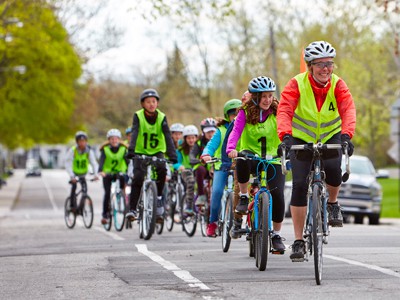
From May 1 to 31, 2026, join us for celebrate cycling across Québec. Whether for pleasure, sport or discovery, get out your bikes and take part in the Bike Month Challenge and cycling activities near you!
Get ready for the 2026 challenge now!
The Bike Month Challenge is the ideal opportunity to mobilize your organization, community or association around the pleasure of cycling.
Together, rack up the kilometers, take up the challenge and help spread your commitment to a stronger cycling culture in Quebec.
View our information webinars
To help you prepare for the 2026 Bike Month Challenge, familiarize yourself with the GeoVelo application and discover resources for mobilizing your community, view our informative webinars.
Webinars for companies and organizations
Webinars for communities, clubs and campuses
Registration is now open on Geovelo!
Register your community now by clicking here!
Good news if you have already participated in 2024 and/or 2025! Your community is automatically registered for the 2026 edition. Simply log in to your profile to access all Geovelo features.
🔄 If you are no longer captain of your organization or community for this year, or if you are the new person in charge of an existing community, contact Geovelo support to update your community profile.
Would you like to start planning now for Bike Month 2026?
Each in our own way, we have the power to change things.. You want to do more to promote cycling as a healthy and active way to get around? Vélo Québec offers you a range of tools and services for the use of your community's captains.
Organizing a cycloactivity
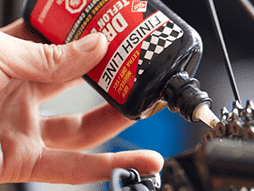
We invite you to organize a cycling activity in your area - mechanical clinic, cylobazar... Be creative!
Turnkey activities
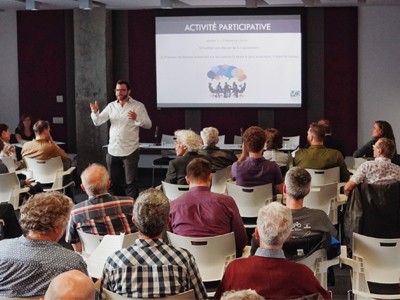
Vélo Québec offers you a virtual conference or a turnkey mechanical kiosk to mobilize your community.
Frequently Asked Questions (FAQ)
Where can I find the ranking?
The ranking by community can be found here!
The ranking can be displayed according to several criteria:
- entity type and size: to compare with groups of the same type and/or size
- geographical area: to compare yourself with other entities in your territory
What kilometers are included in the challenge?
For companies, associations, schools and private groups:
✅All routes completed by members of your community are taken into account.
❌ The routes these members will have made before they join your community will not be taken into account.
For territories :
✅All routes completed on your territory will be taken into account (even those of people outside your community).
❌ Journeys made outside from your territory will not be taken into account, even for people registered in your community.
I don't see my community in the ranking
If your community doesn't appear in the rankings (and you're registered for the Bike Month Challenge), it may be that its size has been incorrectly entered. To correct it :
For corporate communities
- Go to your Geovelo account
- Click on “Parameters”on the left of the screen
- Please ensure that you have entered “Number of employees”.”
For local authorities, associations or schools
- Go to your Geovelo account
- Select the “Communities”Then click on the relevant community
- Click on “Modify the community”
- Add the number of participants
If, after checking, you don't see your community in the ranking, please write to [email protected]!
How can I contact participants?
- Option 1: News feed / push notification
See you in the your community page (on geovelo.app, Cycling Insights or Geovelo Entreprise depending on the type of entity you represent), and use the news feed to post a message (a notification will be sent to all participants. - Option 2: request for consent to retrieve e-mail address
From your community administration interface (on geovelo.app or Cycling Insights, depending on the type of entity you represent), open the details of your Bike Month Challenge, then select the participants you wish to contact. Then click on Contact. - Option 3 (for companies): retrieve the list of participants' e-mail addresses
When employees register for Geovelo Entreprise, they enter their professional e-mail address. You can therefore contact them directly at the e-mail address they entered there, which you can retrieve from the Members list.
My organization already participated in Bike Month last year. How do I register for 2026?
All registrations are made via Geovelo website.
The process to be followed is as follows:
- Log in with Geovelo account you used to participate last year.
- In the list of proposed communities, select the one you would like to register for Bike Month 2025.
- Follow the steps indicated :
- As part of an Employer community, you will be redirected to the Geovelo Entreprise platform*, in which the administration of Bike Month will take place this year.
For other types of community, you will be redirected to geovelo.app to confirm your community's registration for Bike Month 2026.
My company has several sites. How can I take part in the Challenge?
When you register for the Bike Month Challenge, you'll get access to our Geovelo Entreprise platform!
When you register, you can inform your company's various sites. Invite your employees to join the Challenge, and they'll be able to select the site to which they belong.
Your company will then appear in several places in the Month of Cycling ranking:
- in the national ranking, the total kilometers covered by all employees will be displayed,
- in the local rankings, your company's various sites will be compared to other companies in the area.
Is it possible to take part without a telephone?
No, the Bike Month Challenge only counts trips registered in Geovelo. This limitation is explained on the one hand by the desire to reliable results, on the one hand, and the’help communities better understand bicycle travel and optimize their layouts accordingly.
How do I record my journeys?
- Navigation : calculate and follow an itinerary in the Geovelo application, your kilometers will be recorded
- Manual recording : start recording by pressing the “Record” button in the application.
- Automatic recording : feature to be activated to automatically start and stop recording
- according to the activity detected by the phone,
- Import gpx : for journeys made via other applications, from geovelo.app
- Garmin: connect your Garmin account to Geovelo
- Strava - coming soon!